Every prompt you send an AI coding agent costs tokens, and a surprising share of them go to the backend: schemas, policies, generated types, redeploys. We measured where the tokens go when the backend is built through an MCP server on Supabase or Firebase, why the spending never stops after the first build, and what the same app costs when it runs on skapi-js instead. The short version: Skapi is the backend that costs your agent the least, because there is no schema to rebuild, ever.

Where the tokens go
An AI coding agent works in round trips. It reads its context, calls a tool, reads the result, and calls again. Every one of those trips sends the whole context back through the model: the system prompt, the conversation so far, and the description of every tool the agent is allowed to use. Prompt caching makes the repeated part cheaper, usually to about a tenth of the price, but it never makes it free, and cache entries expire in minutes.
Build a backend through an MCP server and the loop looks like this. The agent lists the tables to learn the schema, writes a migration, applies it, writes a row-level security policy per operation per table, regenerates the TypeScript types, runs the security advisor, fixes what it reports, and only then edits the client code. Then you ask for one more field, and the loop runs again from the migration step.
The loop an agent runs for every schema change, and the loop it runs on skapi-js. The steps in the first row are the tools Supabase's MCP server describes for exactly this purpose.
Two things make the first loop expensive, and neither shows up on a pricing page. The steps are round trips, so the growing context is re-read at each one. And the artifacts are not small: a migration is hundreds of tokens, the policies are hundreds more, and the regenerated types file is re-read in full after every change.
We measured it
The numbers below come from the real servers. We started the current @supabase/mcp-server-supabase (0.13.0) and firebase-tools (15.31.0) packages over stdio, sent tools/list, and counted the payload the agent receives with the cl100k tokenizer. Claude's tokenizer differs a little, so read these as sizes, not invoices. The migration, policies and types on the Supabase side are our own minimal examples for a task app with profiles, projects and tasks, written the way Supabase's own guides say to write them.
The tool list, paid on every call
An MCP server describes its tools to the model. That description travels with every request for as long as the server is connected.
Compact JSON as the client receives it. Firebase's number is large because its Firestore document tools carry their full JSON schemas; Supabase's list is lean by comparison, and both can be narrowed with a flag. The Skapi row is zero because the agent builds against the SDK, not through a server.
Firebase's --only flag and Supabase's features parameter cut those lists down, and you should use them. But the smallest Supabase set that can still apply a migration is about a thousand tokens, and most people run the default. Take a modest working session of 40 tool calls. Over Supabase's default list that is about 200,000 tokens of tool descriptions passing through the model. Over Firebase's web app set it is 1.85 million.
Skapi has an MCP server too, and it is useful: it lets an agent manage your project, read and write records, register tickets and store secret keys. It is simply not part of the build loop. The agent writes code against skapi-js, and the backend answers.
The change loop, three steps
Now the artifacts. We built the same task app three times over: the first build, then "add a priority to tasks and filter by it", then "let me share a task with a teammate". For each step we counted what the agent has to write for the backend and what it has to read back.
Each Supabase bar is what one step costs in backend artifacts: the first segment is what the agent writes, the second is the regenerated types file it reads back afterwards. Three steps come to 6,705 tokens, and 5,253 of them, 78 percent, are the same types file read back three times. The skapi-js rows have no bar to draw.
| Step | Supabase over MCP | skapi-js |
|---|---|---|
| Build: accounts, tasks with an attachment | Migration with 3 tables, 3 indexes, RLS on every table and 12 policies: 787 tokens. Storage bucket and 3 object policies: 159. Regenerated types, read back: 1,751. 2,697 tokens, plus list_tables and get_advisors responses we could not measure without a live project. |
0. Accounts come with the project. A record carries its own table name, access group and files. |
| Change 1: add a priority, filter by it | Migration adding the column and an index: 38. Regenerated types, read back in full: 1,751. 1,789 tokens | 0. The change is an index key in the call that already exists: about 100 tokens of client edit. |
| Change 2: share a task with a teammate | New task_shares table, its RLS, and the two task policies rewritten with exists subqueries: 468. Regenerated types: 1,751. 2,219 tokens |
0. One call: skapi.grantPrivateRecordAccess({ record_id, user_id }), 28 tokens. |
The client code is roughly the same shape on both sides. Our supabase-js module for the build step is 408 tokens, the skapi-js one 202. The difference is not the client. It is everything the client needs to exist first.
Notice the pattern in the middle column. The migration for change 1 is 38 tokens. The regenerated types the agent then reads back are 1,751, and they are 1,751 again after change 2, and after every change after that, because the tool returns the whole file. The steady cost of a schema is not the schema. It is the re-reading.
And these are the artifacts alone. Each of those steps is a tool call, and each tool call is a round trip that re-reads the conversation and the tool list. A change that costs 1,789 tokens of artifacts costs several times that by the time the agent has listed the tables, applied the migration, regenerated the types, run the advisor and read every response.
When the meter is credits instead of tokens
Web builders such as Lovable do not show you tokens. They charge credits per message, and the price of a message depends on how much work the agent did. At the time of writing, Lovable's own examples put "Make the button gray" at 0.50 credits and "Add authentication with sign up and login" at 1.20, the free plan grants 5 build credits a day, and the entry Pro tier is $25 for 100 credits a month, so a credit is about 25 cents.
The meter is different, the mechanism is not. A message that has to rebuild a schema, rewrite policies and redeploy is a message that does more work, and it costs more credits than one that edits a line of client code. The backend you choose decides what "add a field" means to the agent, and therefore what it costs you, on every platform that charges for the agent's effort.
Why Skapi is built for AI agents
An agent is at its best when the whole backend is one SDK it can write against, with nothing to provision, migrate or deploy in between. That is what Skapi is: accounts, database, files, CDN, emails, realtime, hosting and webhooks behind one JavaScript library, on a plain HTML page or in any framework, with a free plan to start on.
Skapi has no schema. A record is a piece of data with a few words attached: the table it belongs to, who may read it, and optionally what it is indexed by. The table exists because a record said so.
skapi.postRecord(form, {
    table: { name: 'tasks', access_group: 'private' },
    index: { name: 'priority', value: 2 },
    reference: projectId
});
That is the whole backend side of a task with an attachment. form is the HTML form the user filled in, file input included, and the file is stored and served from a CDN without another line. access_group: 'private' is the entire security policy: the record's owner can read it, nobody else can, until the owner grants someone access. Change 'private' to 'authorized' and every signed-in user can read it. Change it to a number and only users at that access level or above can. There is no policy to write, nothing to enable, nothing to regenerate and nothing to deploy.
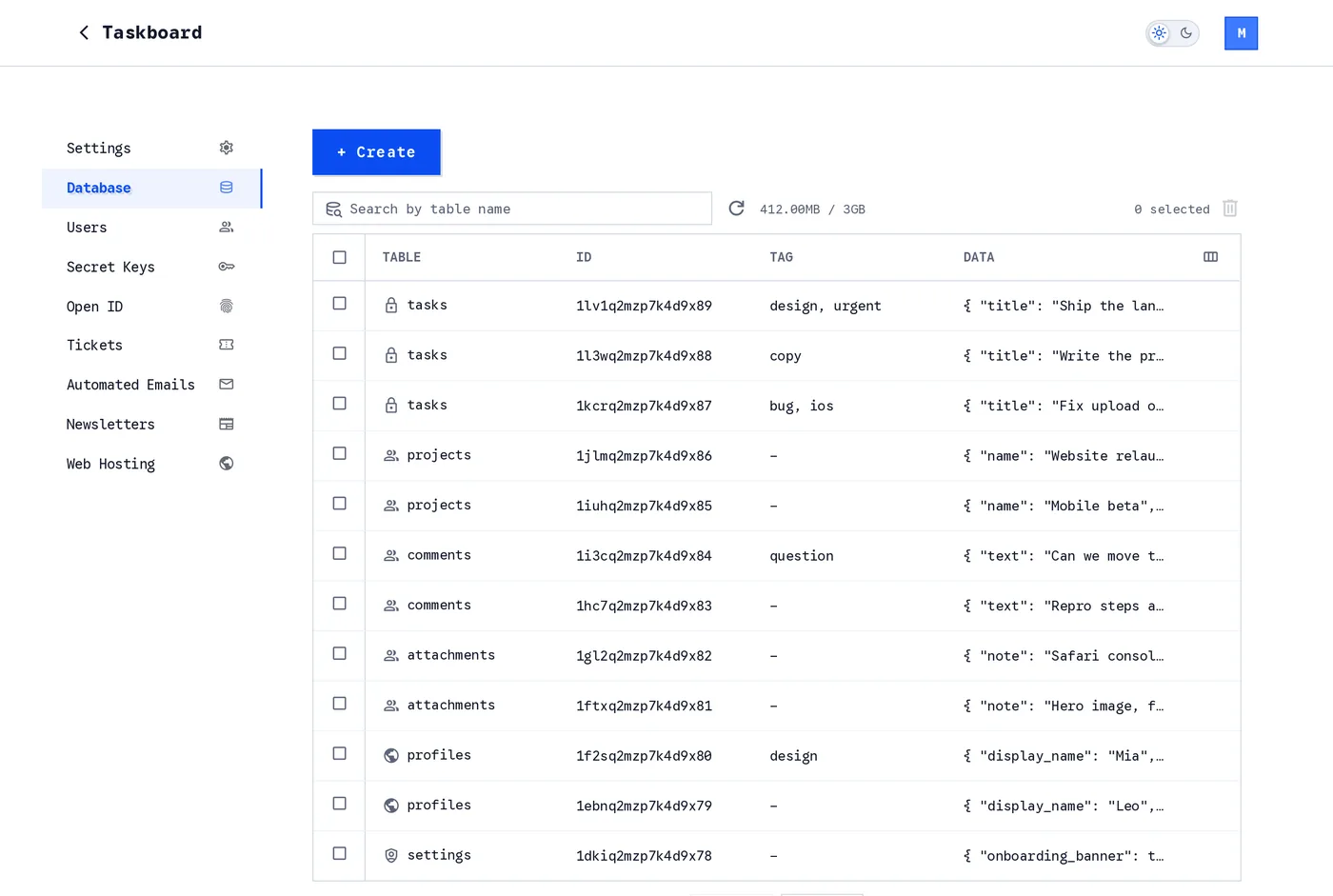
The Database page after the three steps above. Six tables, none of them created by hand. The lock, group and globe icons are the access groups: private, authorized and public.
Open any record and you are looking at the entire data model of a Skapi project: the table name, the access group, one index, a reference, tags, and the data itself.
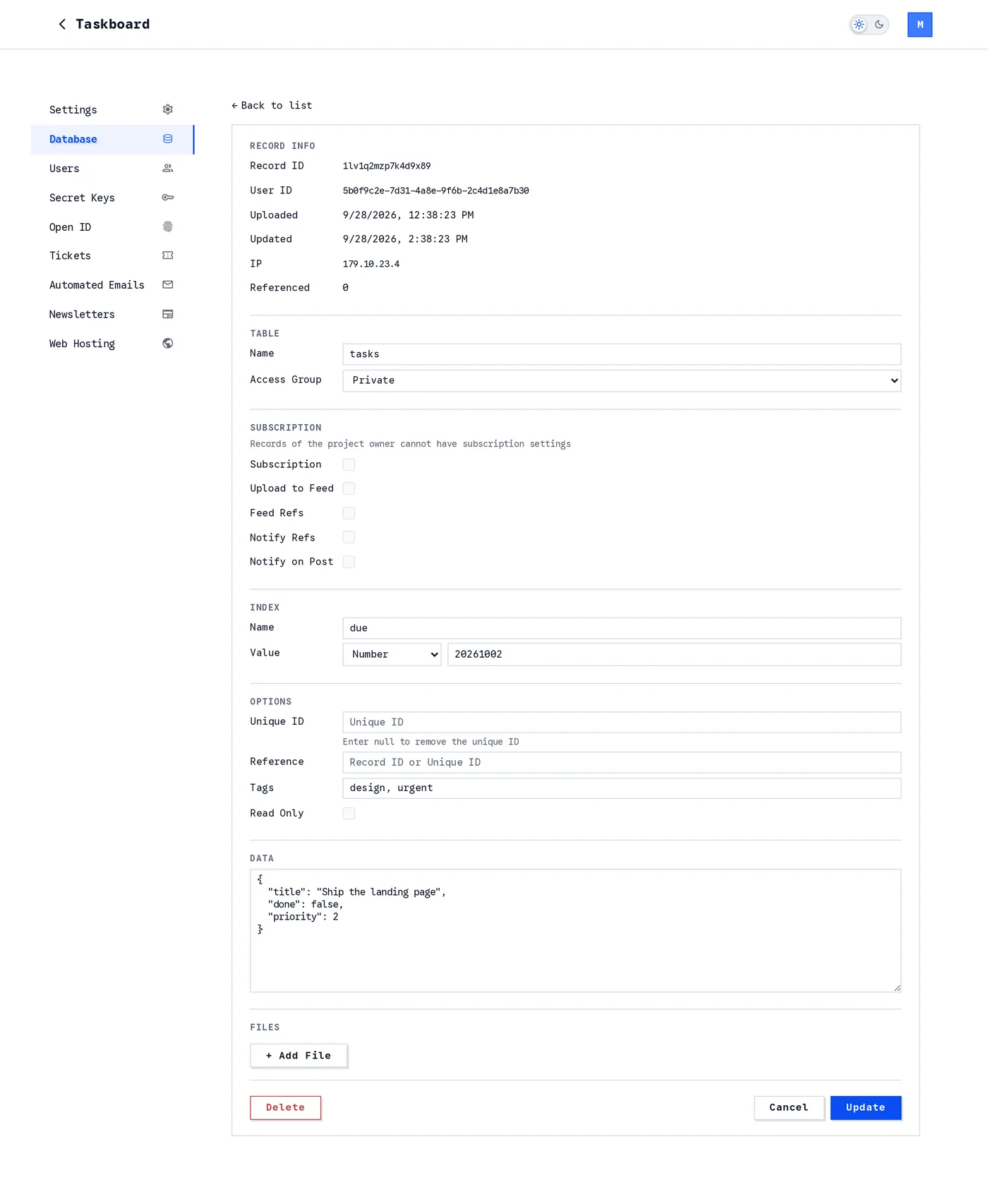
One record. Everything an agent would otherwise put into a migration is a field on this form, and every field is optional except the table name.
Accounts work the same way. skapi.signup(event) on a form creates the user, skapi.login(event) signs them in, and the confirmation email, the password reset, the welcome mail and the user list on your dashboard are already there.
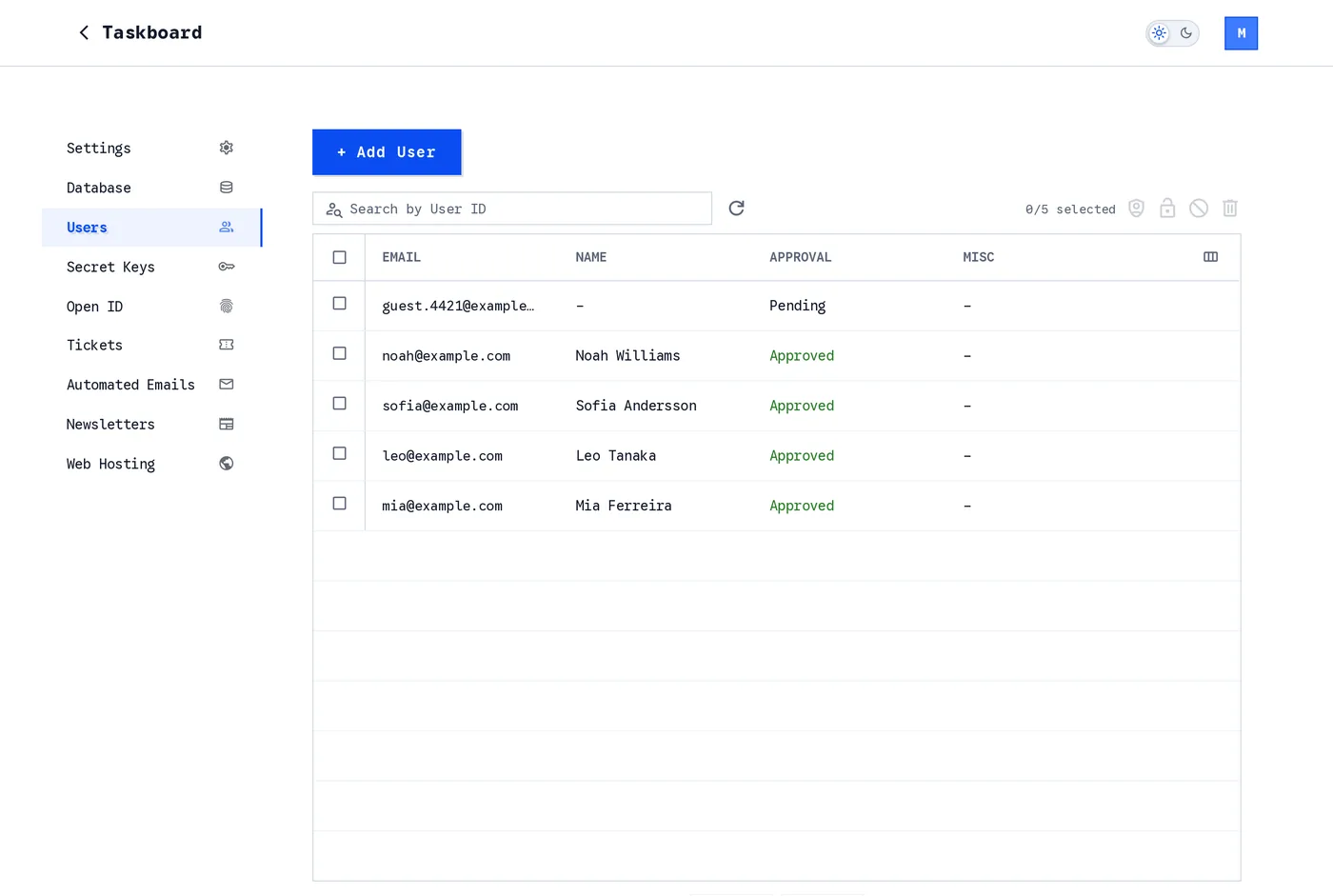
The Users page. Signup, login, verification, password reset and the admin actions come with the project.
The same project also carries what a growing app asks for next, none of it a separate build: realtime messaging, automated emails and newsletters, secret keys and request forwarding for third-party APIs, tickets that accept webhooks, OpenID login and web hosting. Each one is a method on the SDK or a card on the dashboard, and each one is one loop of the second kind.
What the agent reads instead
The fair question is what the agent reads on the Skapi side, since it is not reading a tool list. It reads documentation, once. The pages an agent needs for the app above, getting started, signup and login, creating, fetching, updating and deleting records, access restrictions, files and indexing, come to about 24,000 tokens, read at the start and not again. An agent building on Supabase reads its guides too; the RLS guide alone is the one that tells it to write a policy per operation per table.
The difference is what happens after the first read. On Skapi, nothing in the documentation changes when your app changes, so it is never re-read. Every schema change on the other side produces a new artifact that the agent has to read back.
Skapi's docs are shipped as a single prompt file, and the dashboard downloads it under the name your tool expects, CLAUDE.md, AGENTS.md, .cursorrules and the rest. Open your project's Settings page and look for For AI Agents.
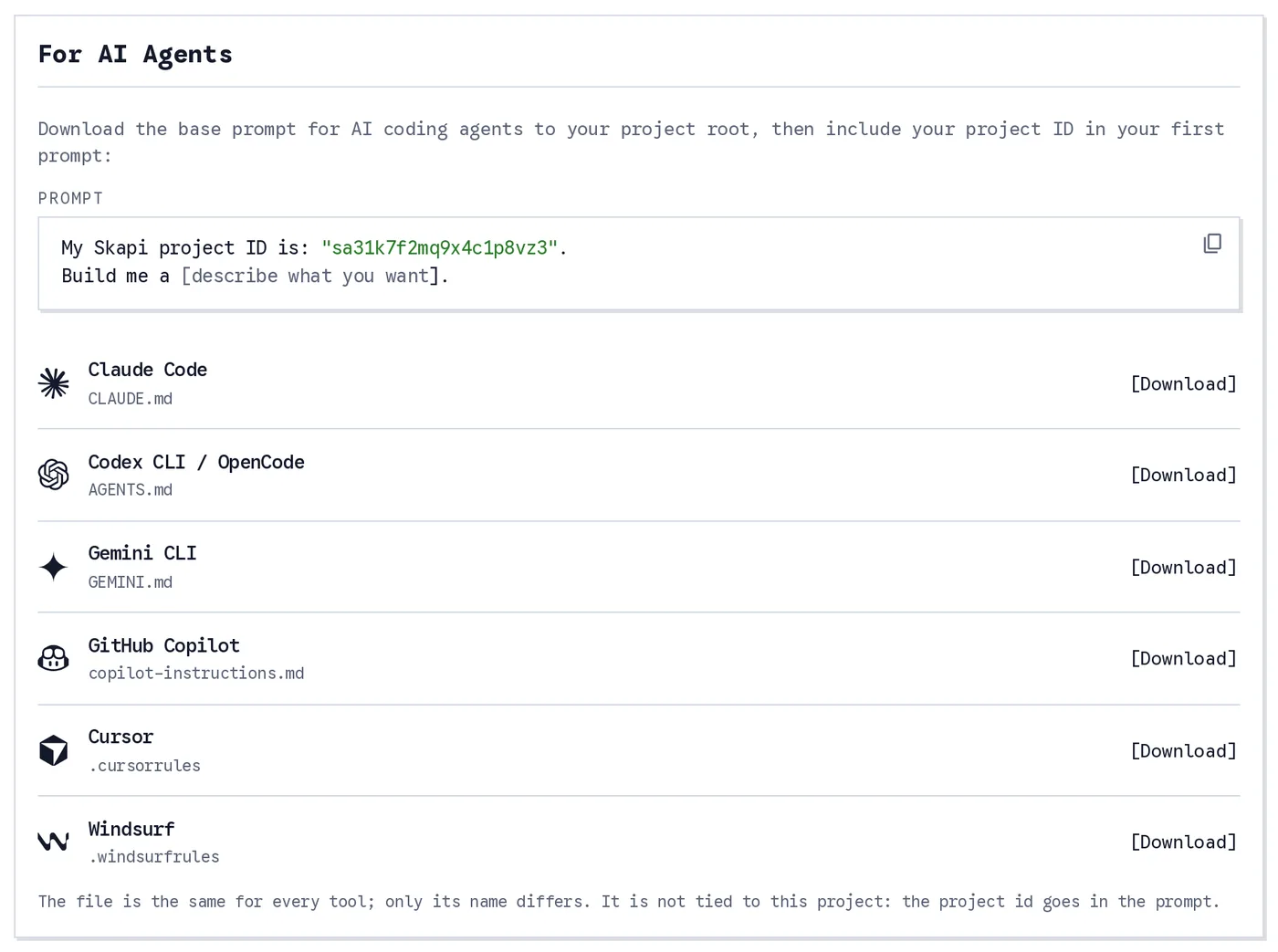
The For AI Agents card. Click the prompt to copy it, then download the file under the name your agent reads.
What you give up
Two honest notes. Skapi's database is a record store with tables, indexes, tags and references. It is not Postgres. If your application is built on joins across five tables, aggregations in SQL, triggers, or an ORM, Supabase gives you all of that, and its migrations are the price of having a relational schema at all. Firebase's Firestore is closer to Skapi's model, but its security rules and composite indexes are still artifacts you write, deploy and revisit.
And the zero in the table is a zero for backend artifacts, not for thinking. The agent still has to decide that tasks are private and profiles are public. On Skapi that decision is one word in one call, which is the point: the design work stays, the paperwork goes.
Where to start
The cheapest way to check any of this is to build something. A Free project costs nothing.
- Create a project at skapi.com and copy its Project ID from the Settings page.
- On the same page, download the prompt file for your tool from For AI Agents, and put it in the root of your project.
- Start the agent with the opening prompt:
My Skapi project ID is "<Project ID>". Build me a task board with accounts, private tasks and attachments. - Ask for the next change. Then the one after that.
The first build is an afternoon. Every change after it costs what a change to the client code costs, because that is all it is. Your agent's tokens go into your app, not into the plumbing under it.